
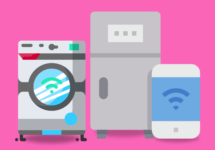
Has Your Smart Fridge (and other home devices) Gotten Too Smart?
Smart devices are great until they get out of hand.
- Did your private conversation just get broadcast to who knows where?
- Or hacked by a crafty criminal?
- Smart gadgets can be an open door to your network.
Secure them properly!
- Make sure you update your device firmware regularly.
- Don’t just leave everything at its default setting and hope for the best. (A default setting is a configuration for the product chosen by the manufacturer. Many of us don’t change the defaults on our tech, so they stay that way for a long time).
Examples of Smart Home Appliances
Smart home devices are designed to make your home more convenient, efficient, and connected through the internet. Examples of smart home appliances include:
- Smart Refrigerators: These appliances can track your food inventory, suggest recipes, and even order groceries for you.
- Smart Thermostats: Devices like the Nest or Ecobee thermostats allow you to control your heating and cooling remotely and even learn your preferences.
- Smart Lights: Products like Philips Hue or LIFX enable you to control your lighting with your smartphone, set schedules, and change colors.
- Smart Locks: These allow you to control and monitor your door locks remotely. Examples include August Smart Lock and Schlage Connect.
- Smart Cameras: Devices like Nest Cam and Arlo provide security and surveillance capabilities with remote monitoring.
- Smart Speakers: Devices like Amazon Echo and Google Home are not only voice assistants but also central hubs for controlling other smart devices.
- Smart TVs: Modern televisions can connect to the internet and offer streaming services and voice control.
How Smart Devices Can Be Compromised
As with any internet-connected device, smart home appliances can be vulnerable to hacking. Here are some common ways they can be compromised:
- Weak or Default Passwords: Many smart devices come with default or weak passwords, and some users fail to change them. Hackers can easily guess or brute-force these passwords.
- Outdated Firmware: Manufacturers release updates to fix security vulnerabilities. If you don’t update your device’s firmware, it may remain vulnerable to known exploits.
- Insecure Communication: If the device communicates with servers or your smartphone over an unsecured connection, it can be intercepted or tampered with.
- Physical Access: If a hacker gains physical access to your device, they may be able to exploit vulnerabilities or reset the device to its default settings.
Methods to Prevent Hacking of Smart Home Appliances:
- Change Default Passwords: Always change default passwords to strong, unique ones for each device.
- Update Firmware: Regularly check for and apply firmware updates provided by the manufacturer.
- Secure Your Wi-Fi Network: Use strong, unique passwords for your Wi-Fi network and enable WPA3 encryption if available.
- Use Two-Factor Authentication (2FA): Whenever possible, enable 2FA for your smart home accounts and apps.
- Segment Your Network: Create a separate network for your smart devices to isolate them from your main network, limiting the impact of a breach.
- Disable Unnecessary Features: Turn off features or services you don’t use, as they can be potential entry points for hackers.
- Regularly Review Permissions: Check the permissions and access levels granted to smart devices and apps, and revoke unnecessary access.
- Monitor Activity: Use network monitoring tools or dedicated security solutions to keep an eye on the traffic between your smart devices and the internet.
- Be Cautious with Third-Party Apps: Only download and install apps or integrations from trusted sources or the official app stores.
- Consider a Firewall: Install a network firewall or use a router with built-in security features to block malicious traffic.
Remember that no system is entirely hack-proof, but by following these best practices, you can significantly reduce the risk of your smart home appliances being compromised.
For more technology trends and topics, follow our LinkedIn page! 🖥️
➡️ Check Out Our Business Testimonials!
How is your state of IT? Call Us: (201) 493-1414 with any questions.

